Hi there!
We are back with a major update for Starlify!
This release brings three game-changing improvements: a fundamental upgrade to how you document connections, a faster and easier search experience and a brand-new way to let AI assistants understand Starlify and translate raw data to Starlify assets.
Let’s take a look 👇
🔌 SIR tables are now on references!
Previously, System Information Requirements (SIR) lived exclusively on Contracts. While this was great for defining the high-level business agreement, it often left a gap when documenting the specific technical details of a connection.
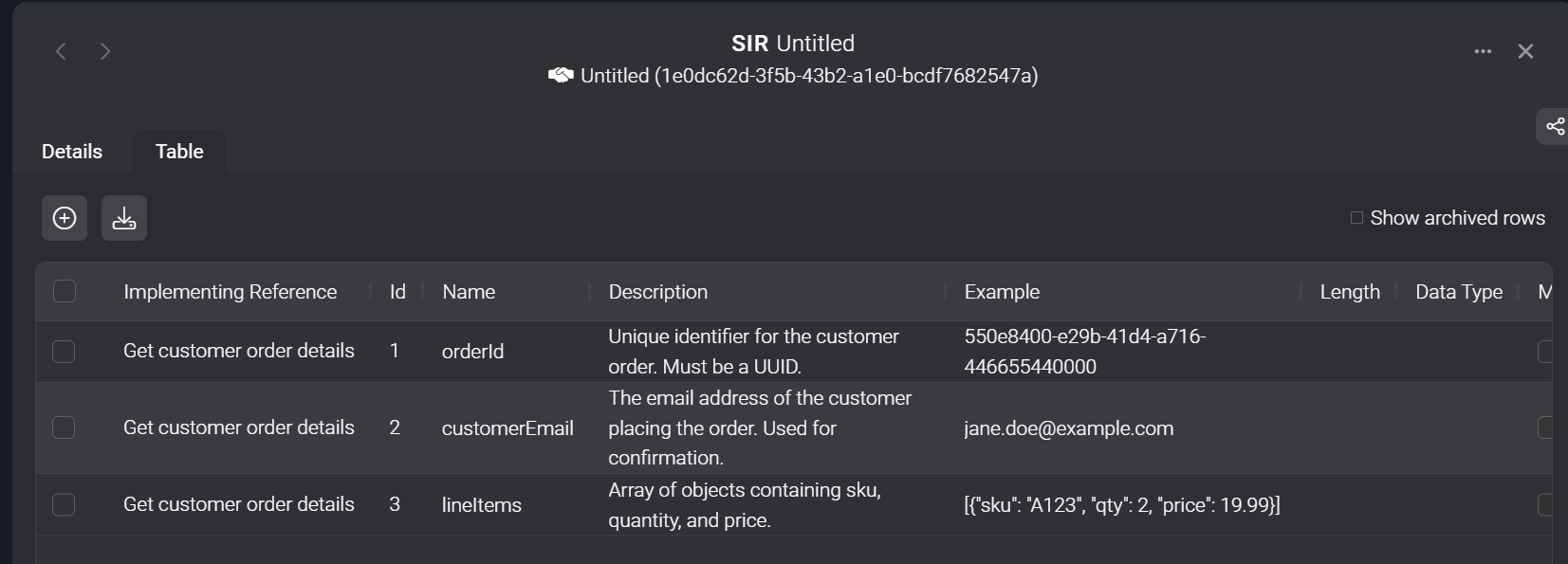
With this release, we have added full support for SIR tables on References.
This means you can now define requirements exactly where the connection happens.
⚙️ How it works:
- Specific vs. General: You can now use SIR tables on references to document the specific implementation details (the "How").
- Still supported on Contracts: Documenting SIR on Contracts is still fully supported! This is perfect for early design phases where you know what data is needed, but the implementation (Reference) is not yet known or created.
- Combined View: We’ve introduced a new view that combines SIR information from the governing Contract and its implementing Reference. You get a complete picture with clear highlighting of where each requirement comes from.
🧠 Why it matters
This closes the loop on your documentation. You aren't just documenting that a system is connected to a contract; you are now documenting how that connection works. It allows you to maintain clean, high-level business agreements (Contracts) without losing the crucial technical details (References) needed for implementation.

🔎 Search everything, instantly
Finding what you need shouldn't require clicking through menus. We have completely reimagined the search bar to be smarter, faster, and more unified.
You can now search across all entity types—applications, services, or business objects—without needing to select a category first.
Additionally, searching will now also find matching external IDs, meaning you can easily find nodes you imported from other systems just by searching the identifier you used.
🤖 Supercharge your AI Assistant with the Starlify MCP Server
We are introducing the Starlify MCP Server, a new standard (Model Context Protocol) that gives AI tools like GitHub Copilot, Claude Code, and Cursor access to Starlify documentation, import schemas, and validation logic.
One of the most powerful use cases is building Starlify import files. Since your AI assistant can now understand our specific rules, you can feed it almost anything—source code, API documentation, or example message payloads—and ask it to analyze the data and create a valid import file for Starlify instantly.
With the Starlify MCP Server, your AI can:
 Search & Retrieve Documentation: Ask questions about Starlify concepts and get help in matching your context to Starlify assets.
 Create and Validate Import Files: Ask your assistant to create an import file for your identified assets. Ensure that the file is valid with correct fields and format before you upload it to Starlify.
 Validate Mermaid Diagrams: Ensure your flow diagrams are syntactically correct before using them in Starlify.
 Fetch Schemas: Instantly access the correct JSON schemas to help you construct valid import files from scratch.
🧠 Why it matters
You no longer need to manually map fields or debug JSON syntax when creating a Starlify import file. Whether you are migrating legacy systems or documenting new APIs, your AI assistant handles the translation instantly.
⚙️ How it works
You simply connect your AI tool to our remote server endpoint. Once connected, your assistant understands which tools the MCP server offers, and it gains the ability to fetch our latest schemas, search our documentation, and validate your data structures in real-time. It requires no local installation or complex setup—just a direct link to our capabilities.
Server Endpoint: https://mcp.starlify.com/mcp
You can read more about the MCP server in the Starlify help center.
As always, we’d love your feedback
Try it out and let us know what you think 💬