Hi there!
Hope everything’s good. It's time for a new update in Starlify!
In this post, you’ll find:
- Release notes for our rework of the Mermaid Diagrams on flows
- A pro tip to improve your Starlify experience
Let’s take a look 
New features ✌️
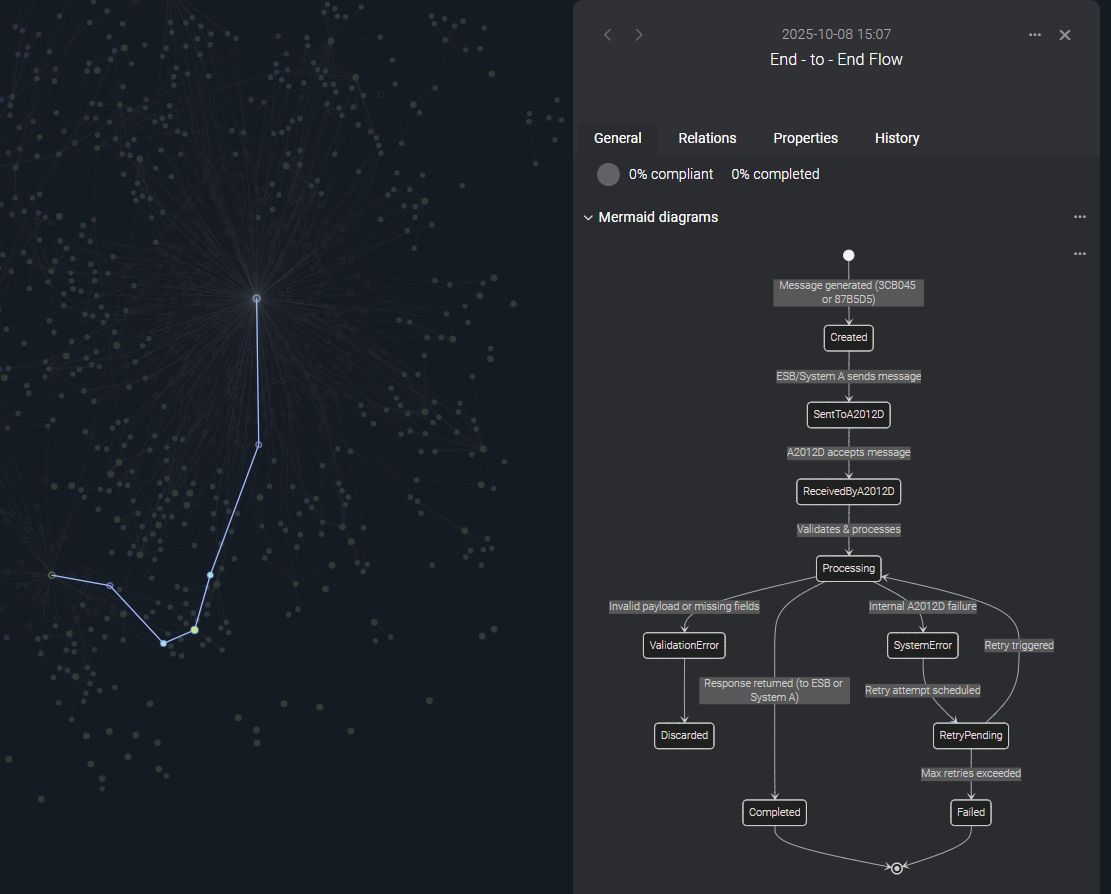
📥Custom Mermaid diagrams
You’re no longer limited to automatically generated sequence diagrams for flows. Instead, you can now create fully custom Mermaid diagrams! Add multiple diagrams, name them freely, and shape them to fit exactly what you want to illustrate.
➡️This means your flow can now include any type of diagram supported by Mermaid: sequence diagrams, flowcharts, state machines, class diagrams, and more.
You can add and view Mermaid diagrams from the Flow details' General tab.
🤔 Why it matters
Complex flows become much easier to understand when they’re visualized. By creating Mermaid diagrams right where you work, you can turn complicated interactions into clear, accessible visuals. This helps teams align faster, improves documentation quality, and keeps your flow knowledge in one place instead of scattered across different tools.
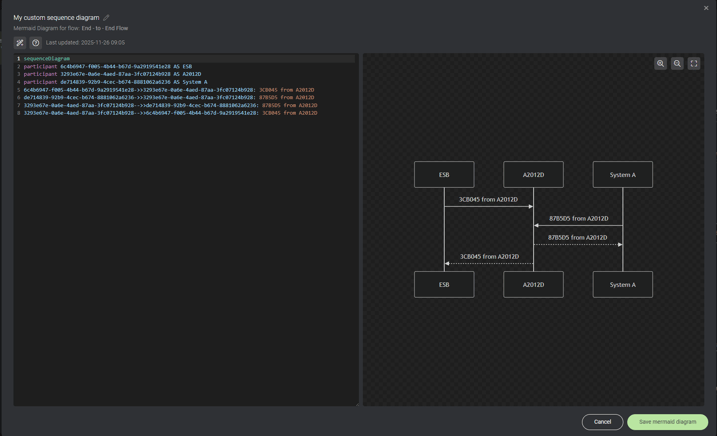
🛠️The Mermaid diagram editor
With the built-in Mermaid diagram editor, you can write and refine your code while seeing instant visual updates—making it quick and smooth to experiment and adjust.
PS! Miss the old automatically generated sequence diagrams? You can still get them by clicking the "Generate squence diagram from flow" button in the Mermaid diagram editor!
Bonus: Pro tip!
Do you ever get lost in your graph and want to get back to the full picture? There's a shortcut for that! Just press "c", and your view will center on the full graph!
➡️Want to check out our other shortcuts? Click the question mark in the bottom right corner of Starlify, and you can see the whole list!
As always, we’d love your feedback
Try it out and let us know what you think 💬